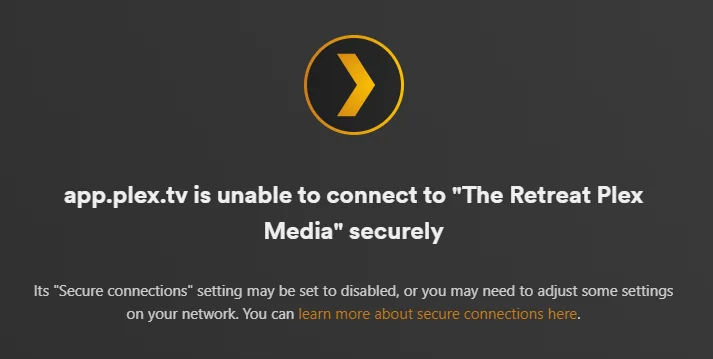
Regarding music or video streaming services content, it's essential to recognize that you never truly own the content. But if you want more control over your media, Plex is an excellent alternative. It offers the ability to create a centralized media server accessible across various platforms. Moreover, it will allow you to manage your local music, photos, and video collections. Plex lets you stream free shows, movies, and preprogrammed channels without storing these files on your server. However, recently, there have been reports of users encountering issues with Plex TV not connecting to the server.
That's where we come in. This troubleshooting guide will provide effective solutions to resolve the Plex TV server connection problem.
Ways to Resolve the Plex TV Not Connecting to Server Error
Let's explore some solutions that are sure to assist you in resolving the Plex TV server connection error.
Fix 1: Re-Log Plex
Make sure to restart your device before attempting to reconnect to Plex. Occasionally, you might encounter this error when your account faces certain restrictions. The simplest way to address this is by selecting "Log-Out" from the settings menu, which you can access through the cogwheel icon at the top of the screen.
This error could be a result of server maintenance or temporary downtime issues. Typically, the developer notifies users in advance if maintenance is scheduled. However, if you miss the notification, you can visit Plex Media's Twitter account to check for any tweets regarding server outages.
Fix 3: Check Your Internet Connection
What's the speed of your internet connection? Have you verified it before starting your video playback? You can confirm if you're receiving the expected internet speed by visiting the Ookla speed test website. If your Wi-Fi connection isn't delivering the speed you anticipate, contacting your Internet Service Provider is a good idea. The issue should be automatically resolved once your internet connection is back to normal.
Fix 4: Using Administrative Rights
The Plex server might encounter this error when it lacks administrative permissions. In such instances, having admin rights is crucial before accessing the service. Here's what you should do:
1. Go to the folder where Plex is installed on your PC.
2. Right-click "Plex Media Server.exe" and choose "Run as administrator."
3. Once it's running, check to see if the Plex TV server connection error has been resolved.
Fix 5: Optimize Plex Database
Plex has ingeniously crafted an astonishingly user-friendly interface. You can fine-tune Plex's database with utmost ease directly from the website. Allow me to present a comprehensive, step-by-step guide for your perusal:
1. Visit the Plex TV website and log in with your credentials.
2. Right-click on your account name. Select "Menu Servers" and choose "Optimize Database" from the pop-up menu.
3. click the "Optimize" button in the confirmation dialog box.
4. This process may take some time to complete, so once it's done, restart Plex. Test whether the Plex TV not connecting to the server has been resolved.
Fix 6: Enable Ports of Plex Network
Allowing the primary TCP port on your Plex Media Server through your network's firewall is essential.
The easiest way to configure network ports is through an Ethernet cable or Wi-Fi on a Windows computer or laptop.
To enable ports on your network, you can follow these steps:
1. Start by clicking the Start Menu and head to System Security.
2. Next, click on "Firewall & Network Protection."
3. Select the "Advanced Settings" feature.
4. Click "Inbound Rules" in the menu on the left.
5. Now, click "New Rule" under the Actions.
6. Input the port "TCP 32400" for Plex.
7. Finally, click the "Next" button to confirm and finalize the port configuration.
Conclusion
To tackle the issue of Plex failing to connect to the server, you can take a set of particular measures. Guarantee that your Plex software is up to date by executing any required updates. This can play a crucial role in maintaining the seamless operation of your system. Feel free to share in the comments which solution proves effective for your situation.
Recommended:
How to Fix Plex Playback Error?
5 Methods to fix Plex media server not opening on PC.





No comments:
Post a Comment